 Recall
Find what you saw on your Mac.
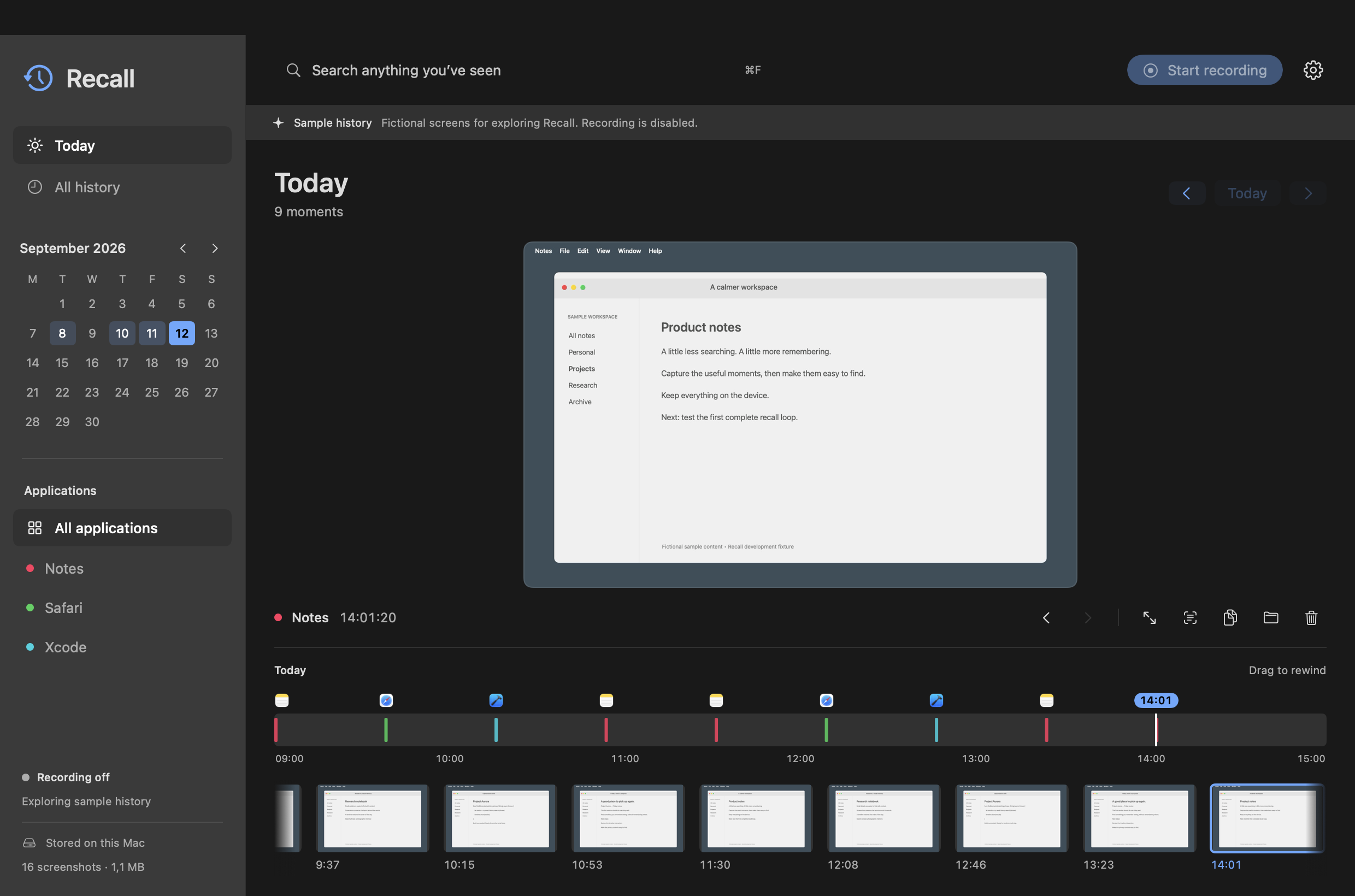
Recall takes a screenshot every half minute, reads the words in it, and keeps every one of them on your Mac. When you half-remember something — a number, a message, a page you closed — type a word from it and go back to the moment.
How it works
-
It watches the screen you are working on
A screenshot every 30 seconds by default, of whichever display holds the window you are in. A screen that has not changed is not saved twice.
-
It reads the words
Apple's on-device text recognition turns each screenshot into searchable text. Nothing is sent anywhere to be read.
-
You search what you saw
Type a word and get the moments containing it, with the word marked in each. Or walk back through a day on the timeline until you recognise it.
What stays on your Mac
All of it. Recall has no account, no server and no telemetry. It is worth being exact about what that does and does not protect:
- Screenshots
- Encrypted where they are stored, with a key kept in your keychain. A copied library, an external drive or a Time Machine backup gives up no pictures.
- Recognised text
- Not encrypted. Searching has to read it, so the words from your screen sit in a searchable index that anyone with access to those files can read. This is a trade, and it is the one thing to weigh before you leave Recall running.
- Recording
- Off until you turn it on, and it stops when your Mac sleeps, the screen locks, or you switch user. Pause it for fifteen minutes, an hour, or until morning from the menu bar.
- Password fields
- Skipped. While macOS Secure Input is on — which is what happens when a password field has focus — Recall takes nothing at all.
- Applications you exclude
- Never captured. Password managers are excluded out of the box, and a screenshot is skipped entirely while an excluded app has a window on screen.
- Updates
- Recall checks only when you ask it to. There is no scheduled call home, so the app makes no network request until you choose Check for Updates.
What it does not do
No video, no audio, no accounts, no sync between machines. It records one display per screenshot — the one you are working on — and it cannot tell a private browsing window from an ordinary one, so exclude a whole browser if that matters. It is an early build, and it says so.